Database Clustering Using Galera on Ubuntu 22.04

Written by
Admin
Admin
Updated on
February 13, 2024
February 13, 2024
Galera Cluster is a replication and clustering platform used for MySQL/MariaDB databases. It allows you to create clusters consisting of multiple MySQL/MariaDB servers that are interconnected and synchronously replicate data to each other. Galera Cluster uses multi-master replication technology that allows you to perform writes to each anode in the cluster, with automatic changes to the other nodes.
The benefits of using Galera Cluster include:
1. High Availability: With multi-master replication, the cluster can remain active even if one or more nodes fail.
2. Synchronous Replication: Data changes are automatically synchronized to all nodes in the cluster, ensuring data consistency across the cluster.
3. Failure Tolerance: Galera Cluster can handle node failures and ensure that the cluster continues to operate smoothly.
4. Scalability: You can easily add or remove nodes from the cluster to increase or decrease capacity and performance.
The topology of the cluster is roughly as follows
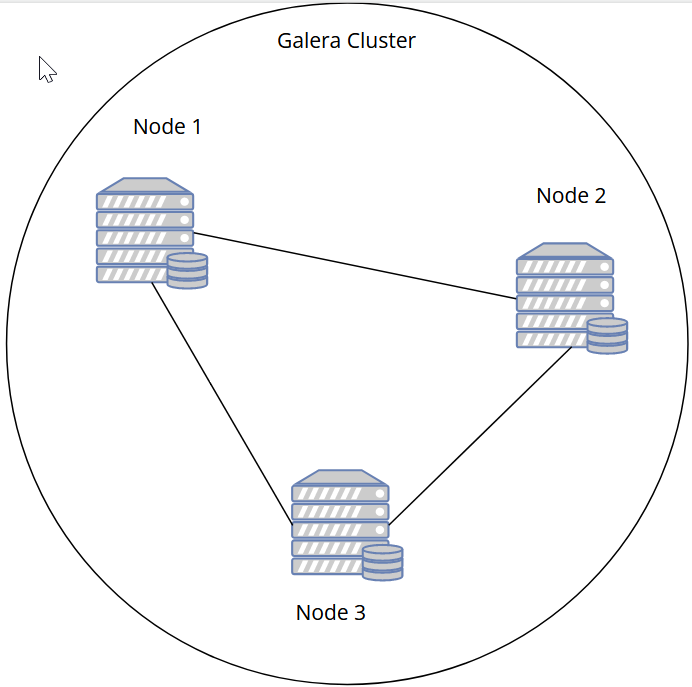
To create a clustering database, we need at least 3 Nodes, so we have to create 3 database servers.
first we have to add hosts for all three nodes on each of them, as an example
/etc/hosts
192.168.50.68 node3
192.168.50.131 node2
192.168.50.169 node1
MariaDB installation is done on all three nodes (node1, 2 and 3)
curl -LsS https://downloads.mariadb.com/MariaDB/mariadb_repo_setup | sudo bash -s --
sudo apt update
sudo apt install mariadb-server mariadb-client
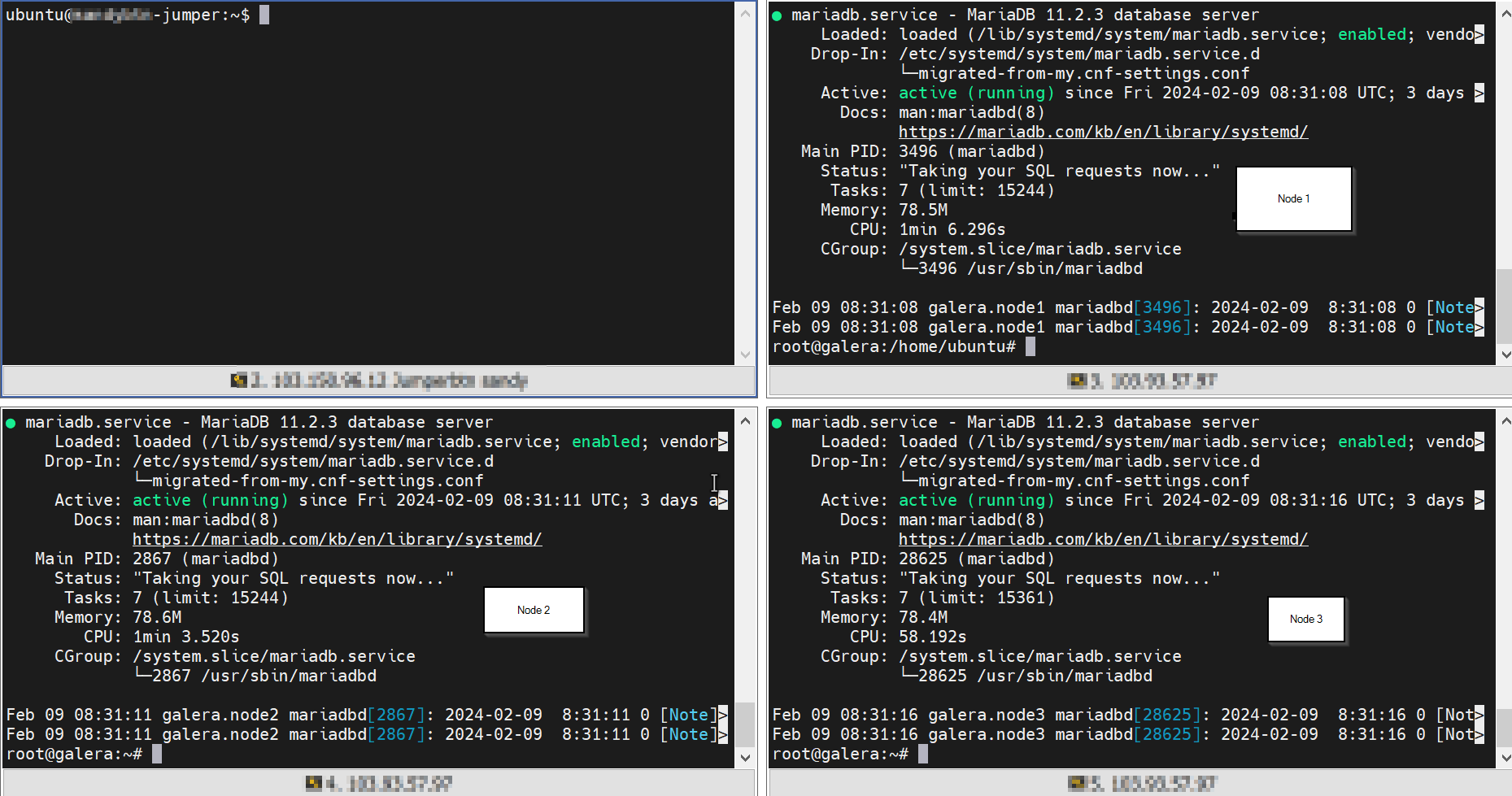
Make sure the MariaDB service is running by running this command systemctl start mariadb and systemctl status MariaDB
Then set the database password for each node (node1, 2 and 3)
mysql_secure_installation

Enter current password for root (enter for none):
Switch to unix_socket authentication [Y/n] n
Change the root password? [Y/n] Y
New password:
Re-enter new password:
Remove anonymous users? [Y/n] Y
Disallow root login remotely? [Y/n] Y
Remove test database and access to it? [Y/n] Y
Reload privilege tables now? [Y/n] Y
When configuring galera, we need to add some configuration to each node so that the configuration is recognized, to create a galera configuration we only need to add configuration to the following file.
/etc/mysql/mariadb.conf.d/50-server.cnf
configure node1 by adding the following configuration at the bottom of /etc/mysql/mariadb.conf.d/50-server.cnf
[mysqld]
bind-address=0.0.0.0
default_storage_engine=InnoDB
binlog_format=row
innodb_autoinc_lock_mode=2

# Galera cluster configuration
wsrep_on=ON
wsrep_provider=/usr/lib/galera/libgalera_smm.so
wsrep_cluster_address="gcomm://192.168.50.169,192.168.50.131,192.168.50.68"
wsrep_cluster_name="sandy-galera-cluster"
wsrep_sst_method=rsync

# Cluster node configuration
wsrep_node_address="192.168.50.169"
wsrep_node_name="node1"
configure node 2 by adding the following configuration at the bottom of /etc/mysql/mariadb.conf.d/50-server.cnf
[mysqld]
bind-address=0.0.0.0
default_storage_engine=InnoDB
binlog_format=row
innodb_autoinc_lock_mode=2

# Galera cluster configuration
wsrep_on=ON
wsrep_provider=/usr/lib/galera/libgalera_smm.so
wsrep_cluster_address="gcomm://192.168.50.169,192.168.50.131,192.168.50.68"
wsrep_cluster_name="sandy-galera-cluster"
wsrep_sst_method=rsync

# Cluster node configuration
wsrep_node_address="192.168.50.131"
wsrep_node_name="node2"
configure node3 by adding the following configuration at the bottom of /etc/mysql/mariadb.conf.d/50-server.cnf
[mysqld]
bind-address=0.0.0.0
default_storage_engine=InnoDB
binlog_format=row
innodb_autoinc_lock_mode=2

# Galera cluster configuration
wsrep_on=ON
wsrep_provider=/usr/lib/galera/libgalera_smm.so
wsrep_cluster_address="gcomm://192.168.50.169,192.168.50.131,192.168.50.68"
wsrep_cluster_name="sandy-galera-cluster"
wsrep_sst_method=rsync

# Cluster node configuration
wsrep_node_address="192.168.50.68"
wsrep_node_name="node3"
Note: for the following parameters can be adjusted to the configuration used whether it is IP, Cluster Name or Node name
wsrep_cluster_address
wsrep_cluster_name
wsrep_node_address
wsrep_node_name
to run the galera cluster, we need to stop the mariadb service on all nodes (node1, 2 and 3)
systemctl stop mariadb
After that we will start the cluster on node1 by running the following command
galera_new_cluster
Next start service mariadb on node2
systemctl start mariadb
then start service mariadb on node3
systemctl start mariadb
Now check the status of the galera node that is running with the following command
mysql -u root -p -e "SHOW STATUS LIKE 'wsrep_cluster_size'"
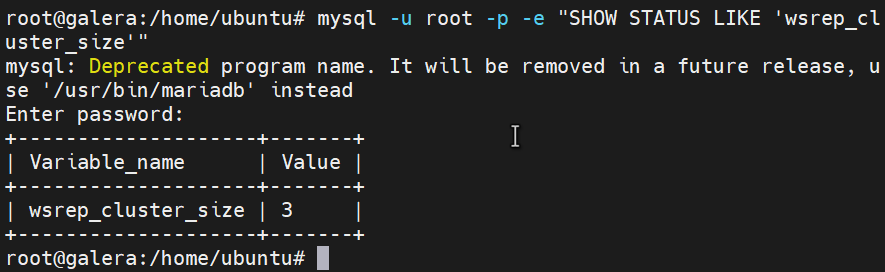
the result is that the cluster is currently running 3 nodes, according to the configuration that has been done
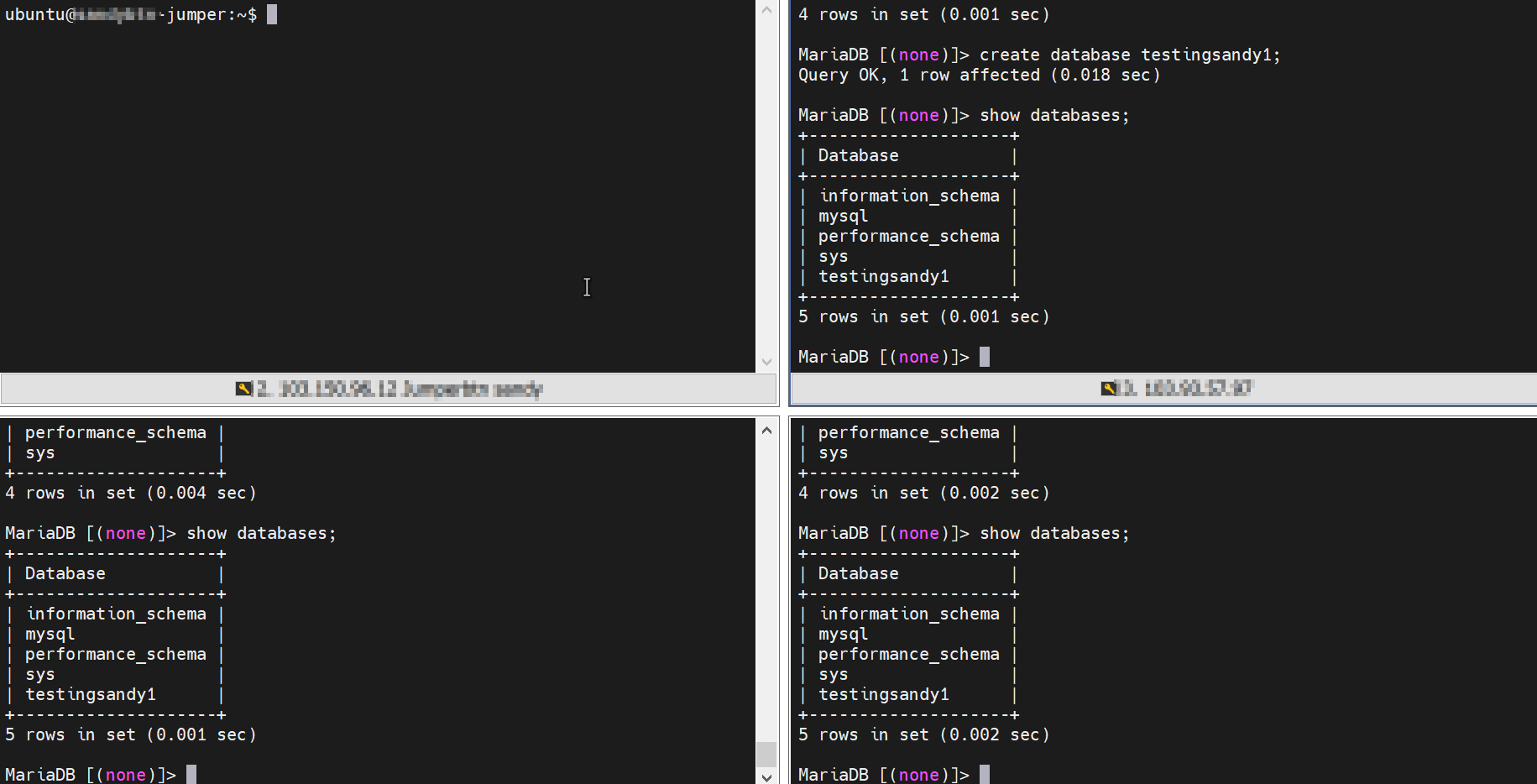
the last is testing the database replication, for testing we need to log in to mysql using the command
mysql -u root -p
then before adding a database, first check for the current database with command show databases;
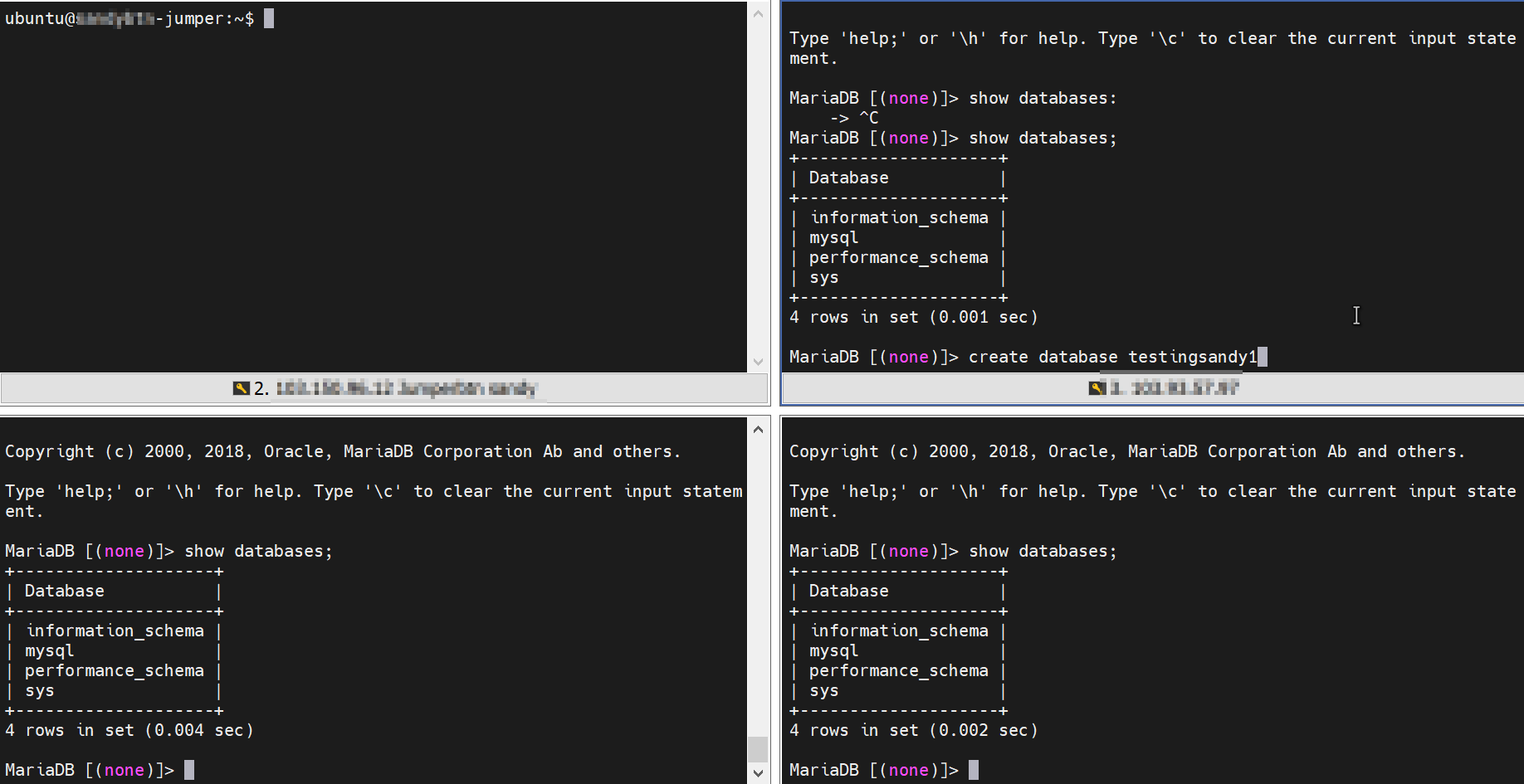
Next we will create a database on node1 using the command
create database namadatabase;
The last one can check the results of the database replication on both nodes (nodes 2 and 3), here are the results
Thank you